Job search and tracking
Find the jobs worth applying to, and keep track of every one.
Raise reads the career pages of more than 500 companies every morning. Start from a role, a company or a sector, sort what comes in, then follow each application from spotted to offer.
- 500+ career pages, read every morning
- Duplicates grouped into one card
- A pipeline up to the offer
- Follow-ups due, on your Home
- Free plan: 20 jobs, 20 searches a month
Straight from the companies’ own career pages
Every morning, Raise reads the career pages of more than 500 companies and the recruiting tools they use: Greenhouse, Lever, Ashby, SmartRecruiters, Workable, Personio, Teamtailor and others. A job that is missing from its page two mornings in a row is closed and leaves your searches.
- 500+companies followed, chosen by Raise
- Every morningtheir career pages are read again
- One cardfor the same job posted several times
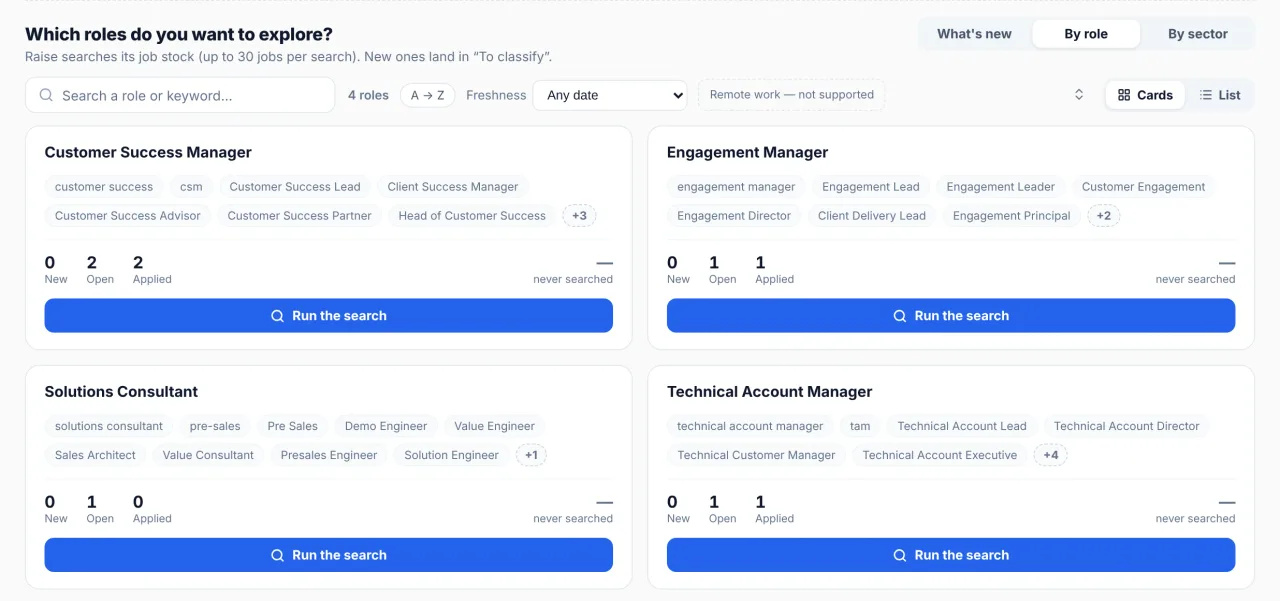
Start from a role or a sector
Follow a role, not one exact title.
Follow the roles you want. A search looks for the exact title and for nearby titles from the same family of roles. Your area, seniority, contract type and freshness apply to every search.
- Or start from a sector. Raise looks at the sector’s companies for jobs that match your roles.
- When you choose. A search runs when you ask for it.
- Other wordings, side by side. Each role card lists other titles used for the same job, to help you read the market.
Sort what’s new
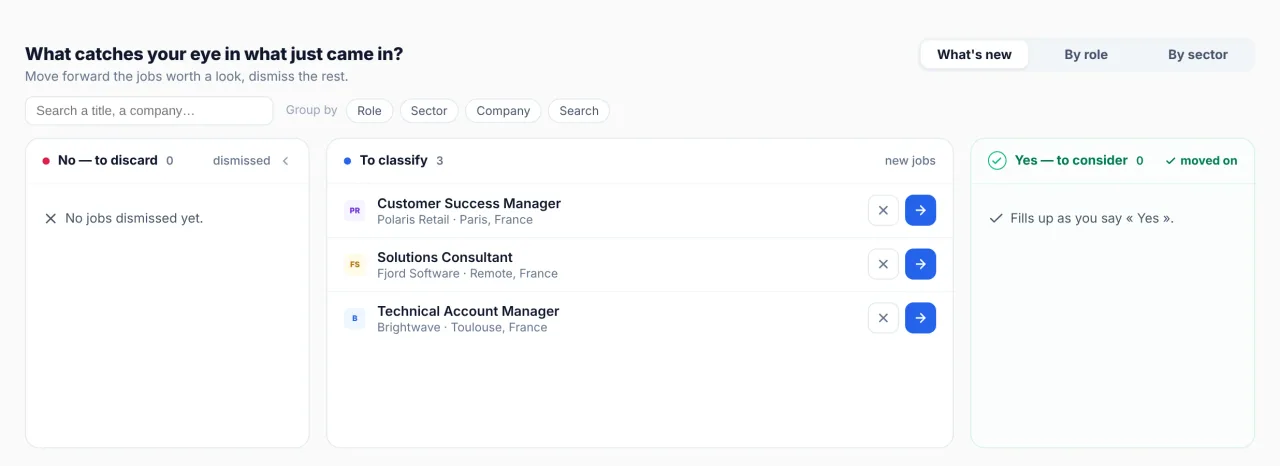
Sort new jobs in seconds.
New jobs land in “To classify”. Move forward the ones worth a look and dismiss the rest.
- One card per job. The same job posted several times shows once.
- No repeats. A job already in your list, or one you deleted, does not come back.
From spotted to offer
Follow each application, step by step.
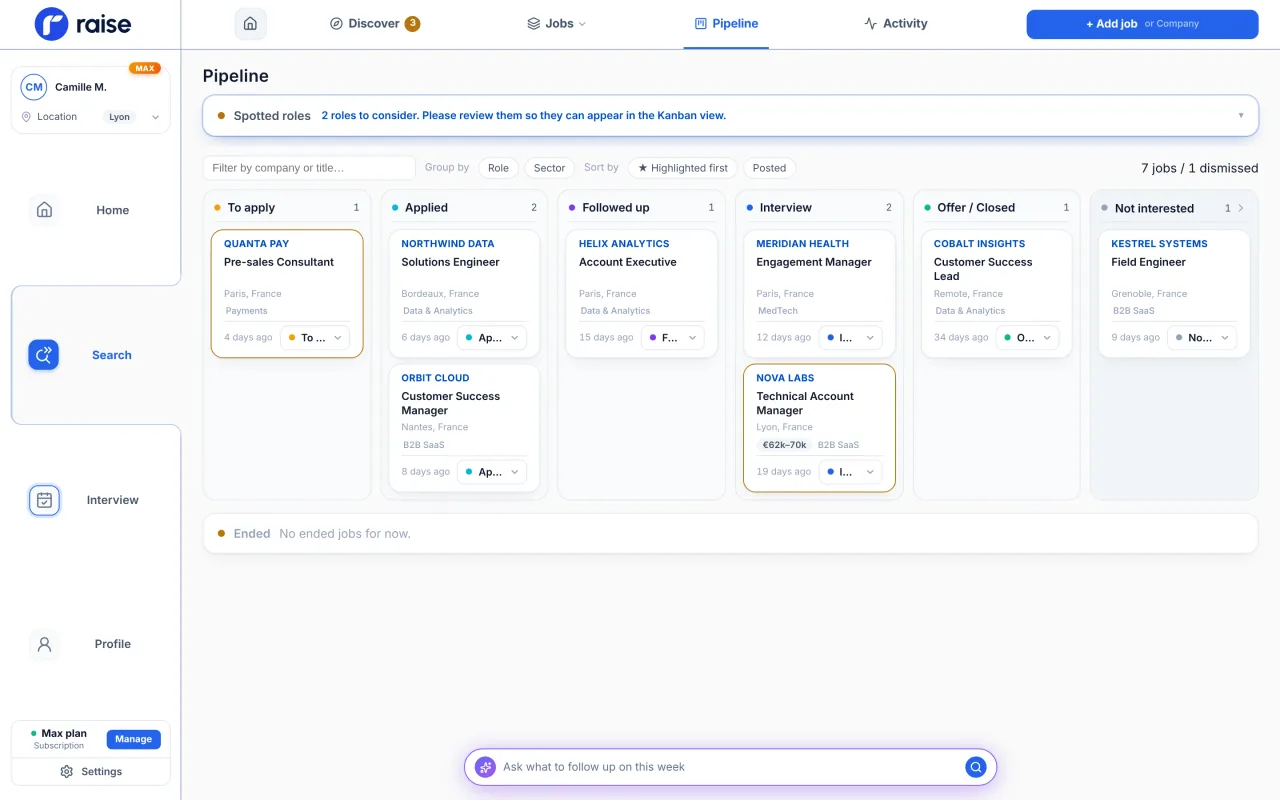
Each job moves from stage to stage in your pipeline. Star the ones that matter and keep them on top.
- Spotted
- To apply
- Applied
- Followed up
- Interview
- Offer
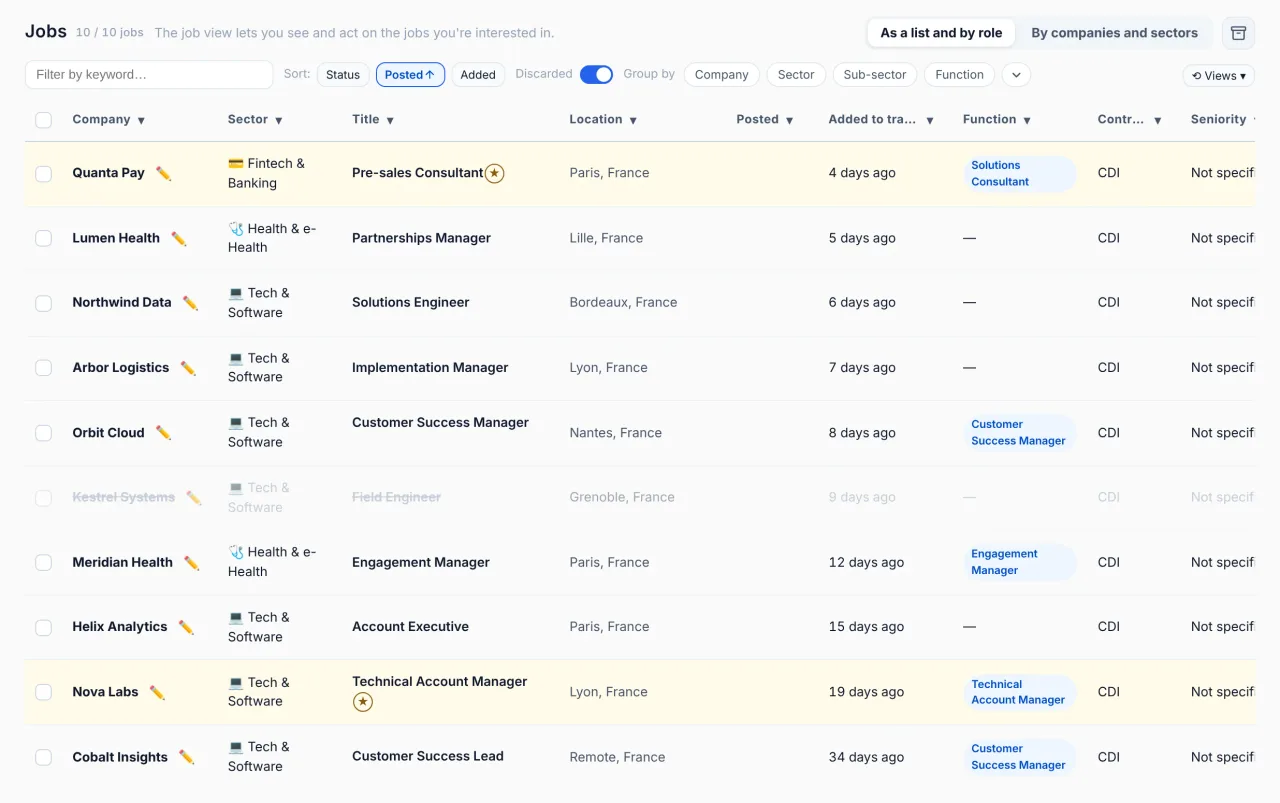
The same jobs as a table: filter by keyword, sort by status or date, group by company, sector or function.
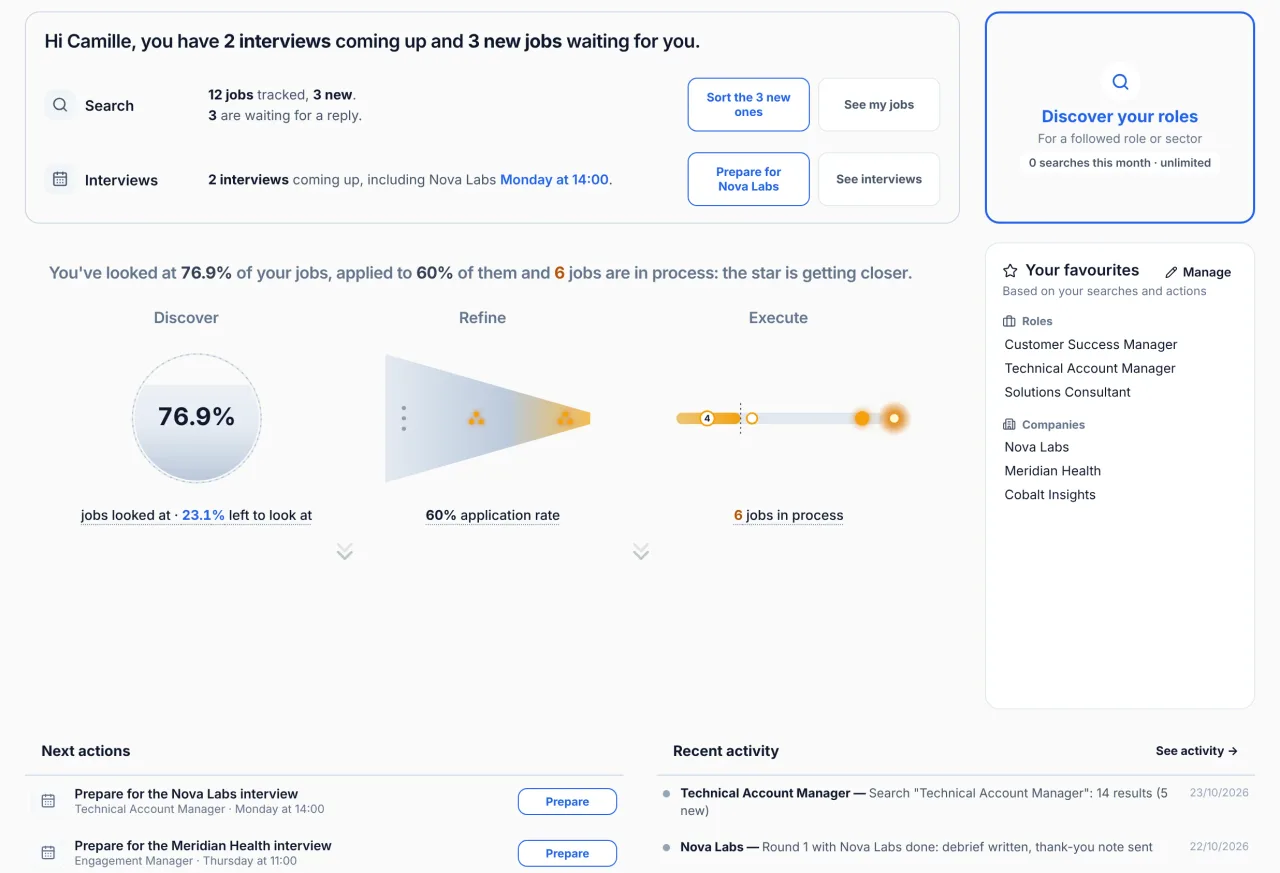
Home
Start each day with what to do.
Home shows your next interviews, the new jobs to sort, and the applications sent more than 10 days ago without news, so you know whom to follow up.
- Ask the assistant. Ask Raise’s AI assistant what to follow up: it answers from your own data.
- Straight to the next step. One click opens the preparation of your next interview.
Questions about the job search
Which companies are covered?
More than 500, chosen by Raise. Career sites that run on Workday or Oracle are not read, so some large companies are not covered.
Is the search automatic?
No. You run a search when you want, from a role, a company or a sector. The career pages themselves are read every morning.
Which filters apply to a search?
Your area (a city and a radius in any country, or a department or a region in France), your seniority, the contract type and how recent the job is.
How many jobs can I track?
Free: 20 active jobs and 20 searches a month. Pro, €10 a month: 100 and 100. Max, €20 a month: no limit. Jobs you are not interested in, archived jobs and the bin do not count.
Can I add a job I found elsewhere?
Yes, from its link or by hand.
Can I use it on my phone?
Raise is built for a computer and runs in the browser, with nothing to install. On a phone, you can create your account; Raise itself is used on a computer.
Your whole search, in one place.
Create your account: Raise runs in your browser, with nothing to install.